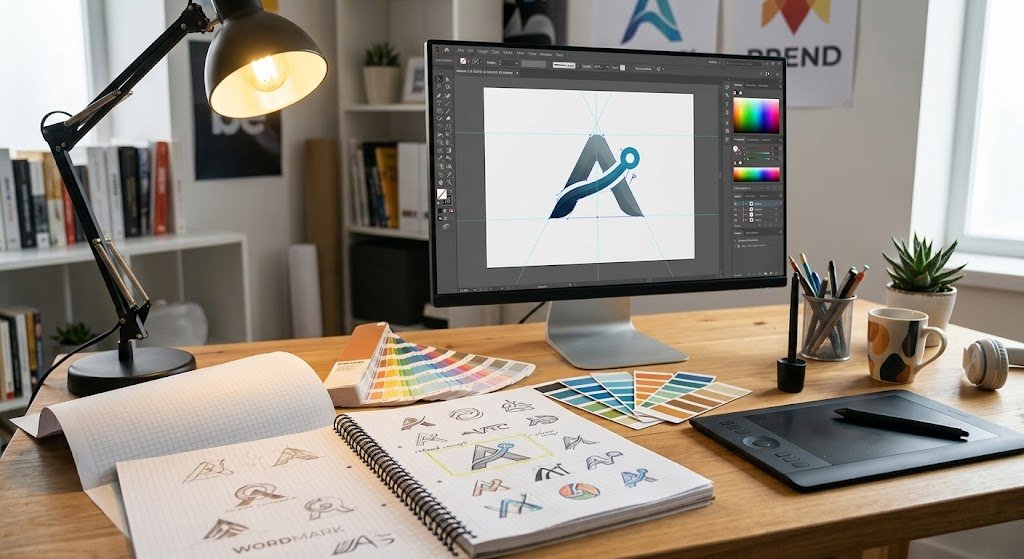
- Vector files (.ai, .eps, .svg, or a vector .pdf) are what printers need; they scale from a hat to a box truck without losing sharpness
- A JPEG or PNG from a website or Canva usually can't be printed as-is, but it can be redrawn; send the largest version you have
- Tell us your brand colors as Pantone or hex values if you know them; otherwise a photo of something printed correctly works
- One clean logo file, reused across shirts, trucks, and signs, is what makes a small business look consistent
Why Printers Ask for "Vector"
A photo or a screenshot is made of pixels. Blow it up and it gets blurry. A vector file is made of math: shapes and curves that stay perfectly sharp whether they're two inches wide on a hat or eight feet wide on a truck. Screen printing needs clean edges to burn screens, vinyl cutters need outlines to follow, and embroidery software needs shapes to convert into stitches. All three start from vector.
Vector file types: .ai (Adobe Illustrator), .eps, .svg, or a .pdf that was saved from a design program (not a scanned or exported image). If whoever designed your logo sent you a folder of files, one of these is in there. If they only sent a .jpg or .png, ask them for the "vector" or "source" file; most designers keep it.
What If All You Have Is a JPEG?
This is the most common situation, and it's fine. We can redraw most logos into vector in-house. Send the largest, cleanest version you have: the file from your website header, the original from Canva exported at maximum size, or a scan of a business card. The simpler the logo, the faster the redraw. Complex logos with gradients, photos, or lots of tiny text take longer and sometimes need a light simplification to print well. We'll show you a proof before anything is produced.
If the logo needs more than a redraw, meaning it never really worked in the first place, that's a conversation about a proper rebuild through our logo design and branding service, and our branding essentials post covers what a complete brand kit includes.
Colors: How Matching Works
Screen printing and vinyl use spot colors, not a screen's RGB. If you know your brand colors as Pantone numbers or hex codes, send them and we'll match to the closest ink or vinyl. If you don't, send a photo of something that was printed correctly before (a sign, a truck, an old shirt) and we'll match to that. Be aware that the same blue looks slightly different in ink on cotton, in vinyl on a truck, and in thread on a hat; we'll pick the closest standard in each medium so they read as the same brand.
Every extra ink color on a screen print is another screen and another pass, which affects price. If your logo has five colors, we may suggest a two-color version for apparel; see how custom shirt pricing works for why.
Fonts
If your logo includes text, the font needs to travel with it. In a vector file, ask the designer to "outline" or "convert to curves" the text before sending; that locks the letter shapes in so we don't need the font installed. If we're redrawing from a JPEG, tell us the font name if you know it, and we'll match it or find the nearest equivalent.
Sizing and Placement Notes
You don't need to size the artwork yourself; we do that per item. What helps is telling us where it goes and how big you're picturing it: "left chest, small" or "full back, as big as fits" or "both truck doors plus the tailgate." For trucks and signs, a photo of the vehicle or the wall lets us mock it up to scale. Our t-shirt design tips post covers what tends to look right on apparel.
A Simple Checklist
- Vector logo file (.ai, .eps, .svg, or vector .pdf), or the largest JPEG/PNG you have
- Brand colors as Pantone or hex, or a photo of a correct print
- Font names, if the logo has text and you're sending a JPEG
- Where it goes and roughly how big
- Photos of the vehicle, window, or wall for lettering and signage
Send It Over
Email the files or text a photo and we'll tell you within a day whether it's print-ready or needs a redraw, and what that costs. We keep your finished artwork on file so every future order, whether it's shirts, truck lettering, or signage, prints from the same source. We work with businesses across Central NJ, including Marlboro, Brick, Sayreville, and Wall Township. Call (732) 272-1929 with questions.
Frequently Asked Questions
What file type do you need for my logo?
A vector file: .ai, .eps, .svg, or a vector .pdf. If you only have a JPEG or PNG, send the largest version you have and we can redraw it.
Can you print from a JPEG or a Canva file?
Usually not directly, but we can redraw most logos into vector in-house. Simple logos are quick; complex ones may need a light simplification, and you'll see a proof first.
How do you match my brand colors?
Send Pantone numbers or hex codes if you have them, or a photo of something printed correctly. We match to the closest standard ink, vinyl, or thread color in each medium.
Related services: Logo Design & Branding · Custom T-Shirt Design · Screen Printing